
Routing support
Route App
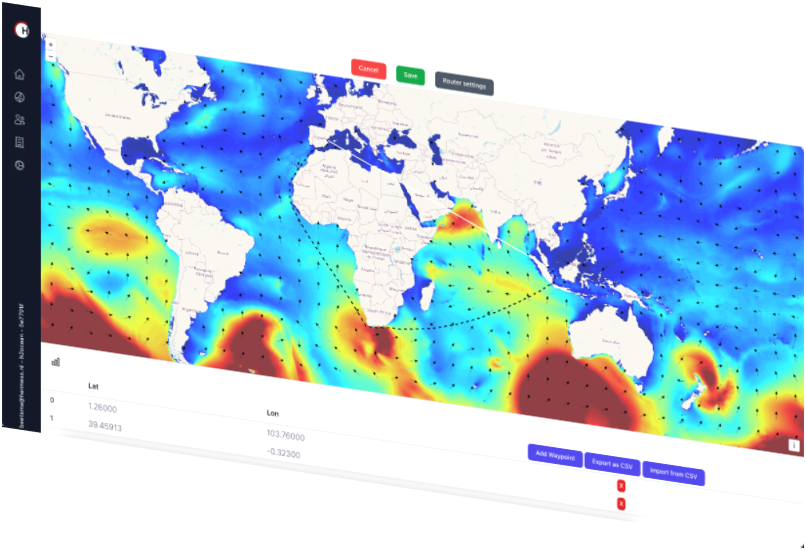
Through the route interface the user can define a planned route and obtain metocean statistics, extremes along the route and the metocean forecasts.
The route app uses port of departure and destination to provide a suggested route. The route may then be updated to match the actual route from the vessel. Alternatively, waypoints can be uploaded directly into the app.
Route Forecast
The route forecast shows time series graphs and maps of selected MetOcean parameters. The route forecast is automatically updated based on the latest ship AIS position.
The route interface is connected to our metocean API, for fast data syncing. The route forecast interface has been developed using state-of-the-art development tools resulting in a clean and modern look and feel.
Forecast interface
Obtain ship data and route from route forecast data base
Get current position from AIS data
Update route given ship route and current position
Get forecast data along route from metocean database (api)
Set limits exceeded
Statistics
Specify your route through the route interface or upload a list of waypoints. A separate analysis can be performed for separate legs and for the entire route.
For each leg, and the entire route separately, we provide en-route statistics tables for each month of departure
Departure window analysis
Departure analysis provides insight in the length of departure windows and the departure delay time. For each month per year in the period of the historical data set, the voyage is simulated with a departure interval of 3 hours.
The probability distributions of the departure delay and the length of the departure window are derived from the set of simulated voyages.
Route extremes
Hermess provides adjusted design extremes along a route in compliance with DNVGL-ST-N001. The method consists of the following steps:
Route definition (waypoints)
Route segmentation
Peaks over threshold (POT) per route segment
Non-stationary conditional extremes modelling
Environmental contour estimation
Adjusted extremes
